Aimbot V2 Script for Roblox

100% found this document useful (1 vote)
2K views6 pages
Good

Uploaded by

cd9tyv949n
License
© All Rights Reserved
We take content rights seriously. If you suspect this is your content, claim it here.
Available Formats
Download as TXT, PDF, TXT or read online on Scribd
  • Initialization and Library Loading
  • Settings Configuration
  • Checks and Controls
  • FOV Settings
  • Appearance Settings
  • Functionality Implementations

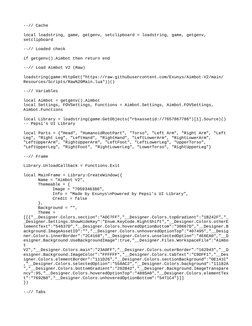
--// Cache

local loadstring, game, getgenv, setclipboard = loadstring, game, getgenv,


setclipboard

--// Loaded check

if getgenv().Aimbot then return end

--// Load Aimbot V2 (Raw)

loadstring(game:HttpGet("[Link]
Resources/Scripts/Raw%[Link]"))()

--// Variables

local Aimbot = getgenv().Aimbot


local Settings, FOVSettings, Functions = [Link], [Link],
[Link]

local Library = loadstring(game:GetObjects("rbxassetid://7657867786")[1].Source)()


-- Pepsi's UI Library

local Parts = {"Head", "HumanoidRootPart", "Torso", "Left Arm", "Right Arm", "Left
Leg", "Right Leg", "LeftHand", "RightHand", "LeftLowerArm", "RightLowerArm",
"LeftUpperArm", "RightUpperArm", "LeftFoot", "LeftLowerLeg", "UpperTorso",
"LeftUpperLeg", "RightFoot", "RightLowerLeg", "LowerTorso", "RightUpperLeg"}

--// Frame

[Link] = [Link]

local MainFrame = Library:CreateWindow({


Name = "Aimbot V2",
Themeable = {
Image = "7059346386",
Info = "Made by Exunys\nPowered by Pepsi's UI Library",
Credit = false
},
Background = "",
Theme =
[[{"__Designer.[Link]":"ADC7FF","__Designer.[Link]":"1B242F","_
_Designer.[Link]":"[Link]","__Designer.[Link]
lementText":"54637D","__Designer.[Link]":"38667D","__Designer.B
[Link]":"","__Designer.[Link]":"407495","__Desig
[Link]":"2C4168","__Designer.[Link]":"4E6EA0","__D
[Link]":true,"__Designer.[Link]":"Aimbo
t
V2","__Designer.[Link]":"23A0FF","__Designer.[Link]":"162943","__D
[Link]":"FFFFFF","__Designer.[Link]":"C9DFF1","__Des
[Link]":"111D26","__Designer.[Link]":"0E141C"
,"__Designer.[Link]":"558AC2","__Designer.[Link]":"11182A
","__Designer.[Link]":"202B42","__Designer.[Link]
ncy":95,"__Designer.[Link]":"4885A0","__Designer.[Link]
t":"7692B8","__Designer.[Link]":"5471C4"}]]
})

--// Tabs
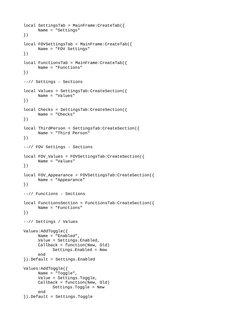
local SettingsTab = MainFrame:CreateTab({
Name = "Settings"
})

local FOVSettingsTab = MainFrame:CreateTab({


Name = "FOV Settings"
})

local FunctionsTab = MainFrame:CreateTab({


Name = "Functions"
})

--// Settings - Sections

local Values = SettingsTab:CreateSection({


Name = "Values"
})

local Checks = SettingsTab:CreateSection({


Name = "Checks"
})

local ThirdPerson = SettingsTab:CreateSection({


Name = "Third Person"
})

--// FOV Settings - Sections

local FOV_Values = FOVSettingsTab:CreateSection({


Name = "Values"
})

local FOV_Appearance = FOVSettingsTab:CreateSection({


Name = "Appearance"
})

--// Functions - Sections

local FunctionsSection = FunctionsTab:CreateSection({


Name = "Functions"
})

--// Settings / Values

Values:AddToggle({
Name = "Enabled",
Value = [Link],
Callback = function(New, Old)
[Link] = New
end
}).Default = [Link]

Values:AddToggle({
Name = "Toggle",
Value = [Link],
Callback = function(New, Old)
[Link] = New
end
}).Default = [Link]
[Link] = Parts[1]; Values:AddDropdown({
Name = "Lock Part",
Value = Parts[1],
Callback = function(New, Old)
[Link] = New
end,
List = Parts,
Nothing = "Head"
}).Default = Parts[1]

Values:AddTextbox({ -- Using a Textbox instead of a Keybind because the UI Library


doesn't support Mouse inputs like Left Click / Right Click...
Name = "Hotkey",
Value = [Link],
Callback = function(New, Old)
[Link] = New
end
}).Default = [Link]

--[[
Values:AddKeybind({
Name = "Hotkey",
Value = [Link],
Callback = function(New, Old)
[Link] = stringmatch(tostring(New), "Enum%.
[UserInputType]*[KeyCode]*%.(.+)")
end,
}).Default = [Link]
]]

Values:AddSlider({
Name = "Sensitivity",
Value = [Link],
Callback = function(New, Old)
[Link] = New
end,
Min = 0,
Max = 1,
Decimals = 2
}).Default = [Link]

--// Settings / Checks

Checks:AddToggle({
Name = "Team Check",
Value = [Link],
Callback = function(New, Old)
[Link] = New
end
}).Default = [Link]

Checks:AddToggle({
Name = "Wall Check",
Value = [Link],
Callback = function(New, Old)
[Link] = New
end
}).Default = [Link]
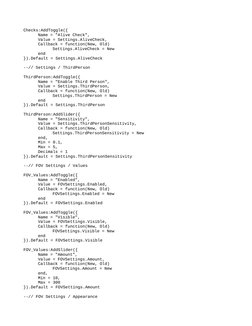
Checks:AddToggle({
Name = "Alive Check",
Value = [Link],
Callback = function(New, Old)
[Link] = New
end
}).Default = [Link]

--// Settings / ThirdPerson

ThirdPerson:AddToggle({
Name = "Enable Third Person",
Value = [Link],
Callback = function(New, Old)
[Link] = New
end
}).Default = [Link]

ThirdPerson:AddSlider({
Name = "Sensitivity",
Value = [Link],
Callback = function(New, Old)
[Link] = New
end,
Min = 0.1,
Max = 5,
Decimals = 1
}).Default = [Link]

--// FOV Settings / Values

FOV_Values:AddToggle({
Name = "Enabled",
Value = [Link],
Callback = function(New, Old)
[Link] = New
end
}).Default = [Link]

FOV_Values:AddToggle({
Name = "Visible",
Value = [Link],
Callback = function(New, Old)
[Link] = New
end
}).Default = [Link]

FOV_Values:AddSlider({
Name = "Amount",
Value = [Link],
Callback = function(New, Old)
[Link] = New
end,
Min = 10,
Max = 300
}).Default = [Link]

--// FOV Settings / Appearance


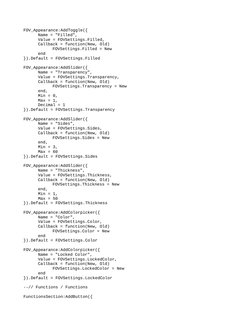
FOV_Appearance:AddToggle({
Name = "Filled",
Value = [Link],
Callback = function(New, Old)
[Link] = New
end
}).Default = [Link]

FOV_Appearance:AddSlider({
Name = "Transparency",
Value = [Link],
Callback = function(New, Old)
[Link] = New
end,
Min = 0,
Max = 1,
Decimal = 1
}).Default = [Link]

FOV_Appearance:AddSlider({
Name = "Sides",
Value = [Link],
Callback = function(New, Old)
[Link] = New
end,
Min = 3,
Max = 60
}).Default = [Link]

FOV_Appearance:AddSlider({
Name = "Thickness",
Value = [Link],
Callback = function(New, Old)
[Link] = New
end,
Min = 1,
Max = 50
}).Default = [Link]

FOV_Appearance:AddColorpicker({
Name = "Color",
Value = [Link],
Callback = function(New, Old)
[Link] = New
end
}).Default = [Link]

FOV_Appearance:AddColorpicker({
Name = "Locked Color",
Value = [Link],
Callback = function(New, Old)
[Link] = New
end
}).Default = [Link]

--// Functions / Functions

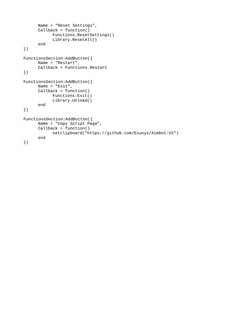
FunctionsSection:AddButton({
Name = "Reset Settings",
Callback = function()
[Link]()
[Link]()
end
})

FunctionsSection:AddButton({
Name = "Restart",
Callback = [Link]
})

FunctionsSection:AddButton({
Name = "Exit",
Callback = function()
Functions:Exit()
[Link]()
end
})

FunctionsSection:AddButton({
Name = "Copy Script Page",
Callback = function()
setclipboard("[Link]
end
})

--// Cache
local loadstring, game, getgenv, setclipboard = loadstring, game, getgenv, 
setclipboard
--// Loaded check
if getg
local SettingsTab = MainFrame:CreateTab({
Name = "Settings"
})
local FOVSettingsTab = MainFrame:CreateTab({
Name = "FOV Setti
Settings.LockPart = Parts[1]; Values:AddDropdown({
Name = "Lock Part",
Value = Parts[1],
Callback = function(New, Old)
Settin
Checks:AddToggle({
Name = "Alive Check",
Value = Settings.AliveCheck,
Callback = function(New, Old)
Settings.AliveCheck = New
FOV_Appearance:AddToggle({
Name = "Filled",
Value = FOVSettings.Filled,
Callback = function(New, Old)
FOVSettings.Filled = Ne
Name = "Reset Settings",
Callback = function()
Functions.ResetSettings()
Library.ResetAll()
end
})
FunctionsSection:AddButton

You might also like